top of page
Instructional Designer | eLearning Developer

Overview
Audience
New volunteers at the dog shelter that are responsible for walking dogs.
Tools
Articulate Rise
Google Suite
Responsibilities
eLearning Development
Instructional Design
Storyboarding
User Assessment
The Problem
This conceptual dog shelter is frequently acquiring new volunteers, most of whom want to walk dogs. In order to be able to start walking dogs, volunteers must complete a two-step mandatory orientation and pass an assessment at the end of the training.
The shelter was having trouble keeping up with orientation scheduling, which was causing the two-step orientation to take up to a month for new volunteers to complete. A month is much longer than the ideal time frame, and shelter wants a solution that will cut that time in half.
The Goal
The new volunteer orientation time frame completion will decrease to two weeks by the end of 2023 as the first step of the training will be available to complete online.
The Solution
Once the problem was identified, I needed to figure out the root cause. It was determined that the root cause was a lack of availability of the people at the shelter who are qualified to give the orientation. This availability could not be changed, as most people at the shelter are volunteers and do not have a set schedule.
Because the scheduling couldn't be changed, I proposed changing the first step of the orientation from in-person to online. This way, volunteers can complete the training on their own time without being reliant on anyone else. Once the first step is complete, volunteers will schedule a time with someone in-person to complete the second step, which is applying the information in a live scenario.
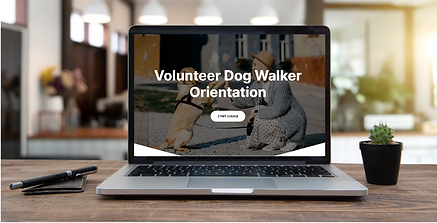
The online training will present all the mandatory information a volunteer needs to know. It will contain knowledge checks throughout the training and a quiz at the end to assess the user's understanding and knowledge retention.
My Process
To plan a scenario-based learning experience, I used the ADDIE model - analysis, design, development, implementation, and evaluation to help ensure that I met the needs of learners (new guests). This led me through the following steps as I created the project.
SMEs
Storyboard
Mockups
Prototype
Development
Visual
Storyboard
I received the learning objectives and mandatory training information from the SMEs at the shelter, outlined the information, and put it into a visual storyboard. The storyboard contains the slide text, knowledge checks, visuals, and interactions.
The visual storyboard takes the user through the five main steps of taking a dog for a walk beginning with pre-walk preparation and ending with returning the dog to their kennel.
The information is presented in a variety of ways to encourage the user to interact with the training. There are interactive flashcards, interactive process slides, and imbedded videos. As well, the knowledge check and quiz questions are presented in a variety of ways, such as multiple choice, ordering the correct answers, true/false, and multiple response.


Interactive Prototype
I used the visual storyboard to create the first three sections of the orientation: main course page, overview, and pre-walk preparation steps. These sections contained all of the styles and options that I would be using throughout the course.
Once I had these sections complete, I asked for feedback and made a few changes on picture/icon placement and wording.


Full Development
Once I had feedback from my interactive prototype, it was just a matter of creating the rest of the steps from the course outline in the visual storyboard.
bottom of page